

How to Verify Your JPS Payment Status Online
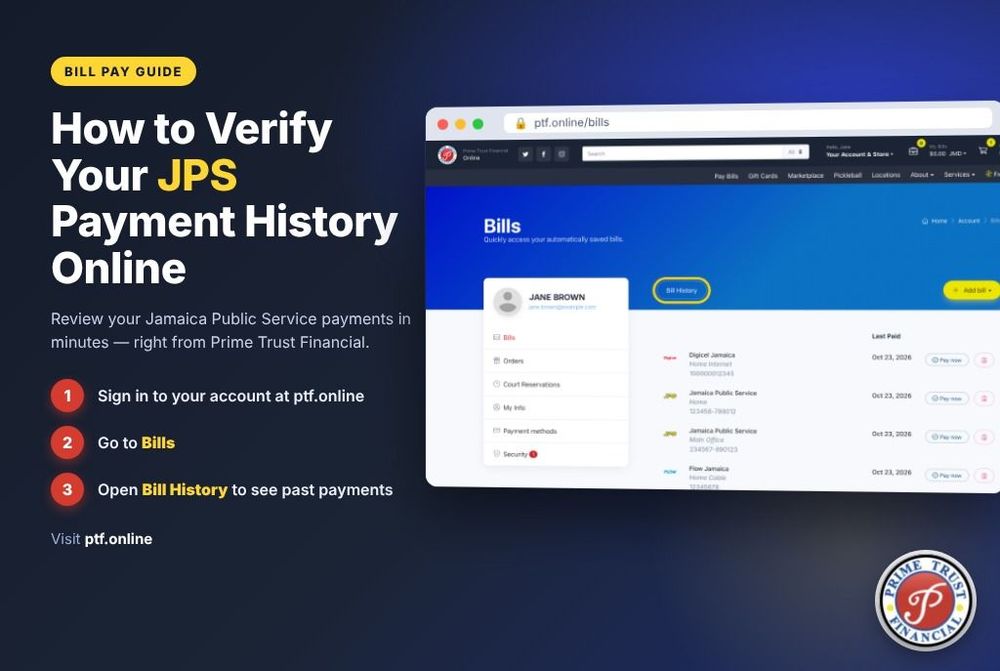
A paid electricity bill should give you certainty, not leave you wondering whether your account has been updated. Whether you paid from Jamaica, supported a relative from overseas, or used a nearby payment location, you can verify JPS payment status online by checking your payment confirmation alongside your JPS account details.
The most useful information is usually available right away: your JPS account number, the amount paid, the date and time, and a transaction or receipt number. Keep these details together until the payment is visible on your utility account. They are your fastest path to an answer if anything needs to be checked.
Start With Your Payment Confirmation
After making a JPS payment, look for the confirmation screen, email, text message, or printed receipt provided by the payment service. A successful payment confirmation should clearly state that the transaction was completed or approved. It should also show the amount paid and a reference number.
Save a digital copy or take a screenshot before closing the page. If you paid in person, keep the original receipt in a safe place until your next bill reflects the payment. A receipt is more than proof that money left your hand or card - it is the record a provider can use to locate the transaction.
Confirm that the JPS account number on the receipt matches the account you intended to pay. A single incorrect digit can send a payment to the wrong account, particularly when someone is paying on behalf of a family member. Check the account number, payment amount, and customer name where shown before assuming the payment is applied correctly.
How to Verify JPS Payment Status Online
The best way to verify JPS payment status online is to sign in to your JPS online account or use the official account-access option available to you. Review the current balance, recent payments, and payment history. If the payment has posted, the transaction should appear in your account activity and your outstanding balance should reflect it.
Do not rely only on a bank or card notification. That notification confirms the payment was processed by the payment method, but it does not always confirm the utility account has updated. The JPS account record is the clearest indication that the bill payment has been applied.
If you paid through an authorized bill-payment provider, check that provider's transaction history as well. The status may be displayed as completed, successful, pending, reversed, or failed. These words matter:
- Completed or successful generally means the provider accepted and processed the payment.
- Pending means the transaction may still be moving through processing and needs time before it appears on the JPS account.
- Failed or declined means you should not assume the bill was paid, even if you began the checkout process.
- Reversed or refunded means the payment did not remain applied and you may need to make another payment after confirming the reason.
When the provider shows a completed payment but the JPS account has not yet changed, keep the receipt and allow the normal posting window before taking further action.
Know What Can Affect Posting Time
Payment timing depends on where and when you paid. A payment made during business hours through a connected bill-payment channel may appear quickly. Prime Trust Financial bill payments are designed for real-time reflection to JPS, giving customers a practical way to confirm that a payment has reached the utility account without waiting for a paper update.
Still, a few circumstances can affect what you see online. Scheduled system maintenance, temporary network interruptions, weekend or holiday processing, an incorrect account number, or a payment made close to a service cutoff can all create a delay. A payment may be successful at the provider level while the account display takes additional time to refresh.
This is why making a second payment immediately can be risky. If the first payment is still processing, paying again may create a credit balance or require extra follow-up. Check the transaction status first. If it says pending, give it the indicated processing time and monitor both the provider record and the JPS account.
What to Check if the Payment Is Not Showing
If your JPS account does not show the payment when you expect it to, review the details carefully before contacting support. Start with the account number on the receipt. Then compare the payment date, amount, and transaction reference with what appears in your online account history.
Next, check your payment method. A card charge that is still pending may not have settled. A bank account may show a temporary authorization rather than a completed debit. If you used cash or a payment location, the printed receipt and reference number are especially important.
Also consider whether the balance you are viewing includes newer charges. For example, a payment can post correctly, but a recent bill, late charge, or additional usage can make the account still show an amount due. Look at the payment history, not only the current total. The history tells you whether the specific payment was applied.
When a Reference Number Matters Most
A transaction reference number allows a payment provider to search for the exact payment without relying on a name or approximate date. Have it ready if you need assistance. Include the JPS account number, the amount paid, the payment date and time, and the last four digits of the card used if applicable.
For privacy and security, do not post full account numbers, card numbers, or receipt images on social media. Use the provider's official customer-service channel or visit a physical location with your receipt if in-person help is more convenient.
If You Are Paying JPS From Overseas
For Jamaicans abroad, paying a utility bill is often a direct way to support family at home. The process is simple when you have the correct JPS account number and know the amount you want to pay, but verification is still essential.
Ask the account holder to confirm the account number from a recent bill rather than sharing it from memory. After payment, send the confirmation reference to the person managing the account in Jamaica. They can check the JPS account online or monitor the next account update. This gives both parties a clear record and reduces the chance of duplicate payments.
Time zones can also affect when you check a status. A payment made late in the evening from the United States may fall outside local business hours in Jamaica. That does not necessarily signal a problem. Review the provider's stated processing information and check the JPS account again after the appropriate interval.
Keep a Simple Payment Record
You do not need a complicated spreadsheet to stay on top of utility payments. For recurring JPS bills, save the receipt or confirmation message in one folder on your phone or email. Label it with the month and the account number's last few digits. This makes it easier to compare payments, answer questions, and track household expenses.
If more than one person pays bills for the household, agree on one person who checks the account history after each payment. Clear communication is often the difference between an easy bill-payment routine and an avoidable duplicate transaction.
A completed payment, a saved receipt, and a quick account check provide the confidence you need to move on with your day. If the status does not match what your confirmation shows, use the transaction reference promptly so the payment provider can help trace it accurately.